Working with time data#
Give your file, group or dataset a timestamp by calling .write_iso_timestamp()
import h5rdmtoolbox as h5tbx

with h5tbx.File() as h5:
    h5.attrs.write_iso_timestamp()
    h5.dump()
-
- timestamp: 2026-01-09T19:50:32.117572
HDF5 cannot store datetime objects. The solution is to store them as string-datasets. Therefore, datetime is written to the HDF5 datasets in ISO-format. When data is requested, it is converted back to numpy.datetime64 format and fed into the xarray object. Note, that you may use the method create_time_dataset instead of constructing the string dataset yourself. In fact, this is recommended, because some attributes must be set in order to identify a dataset as a “time-data-dataset”:
import datetime
with h5tbx.File() as h5:
    h5.create_time_dataset('time',
                           data=[datetime.datetime.now(),
                                 datetime.datetime.now()+datetime.timedelta(hours=1),
                                 datetime.datetime.now()+datetime.timedelta(hours=3)],
                           time_format='iso', make_scale=True)
    h5.create_dataset('vel', data=[1,2,-3], attach_scale='time')
    v = h5.vel[()]
    t = h5.time[()]
    h5.dump()
-
-
: [|S26]
- time_format: %Y-%m-%dT%H:%M:%S.%f
-
(time: 3) [int64]
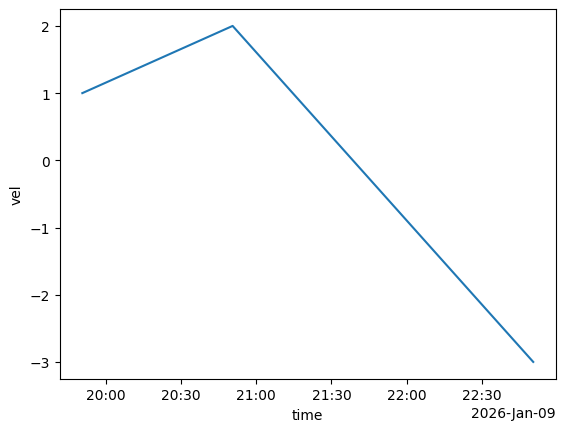
v.plot()
[<matplotlib.lines.Line2D at 0x77ce9caf3460>]