HDF5 + mongoDB#
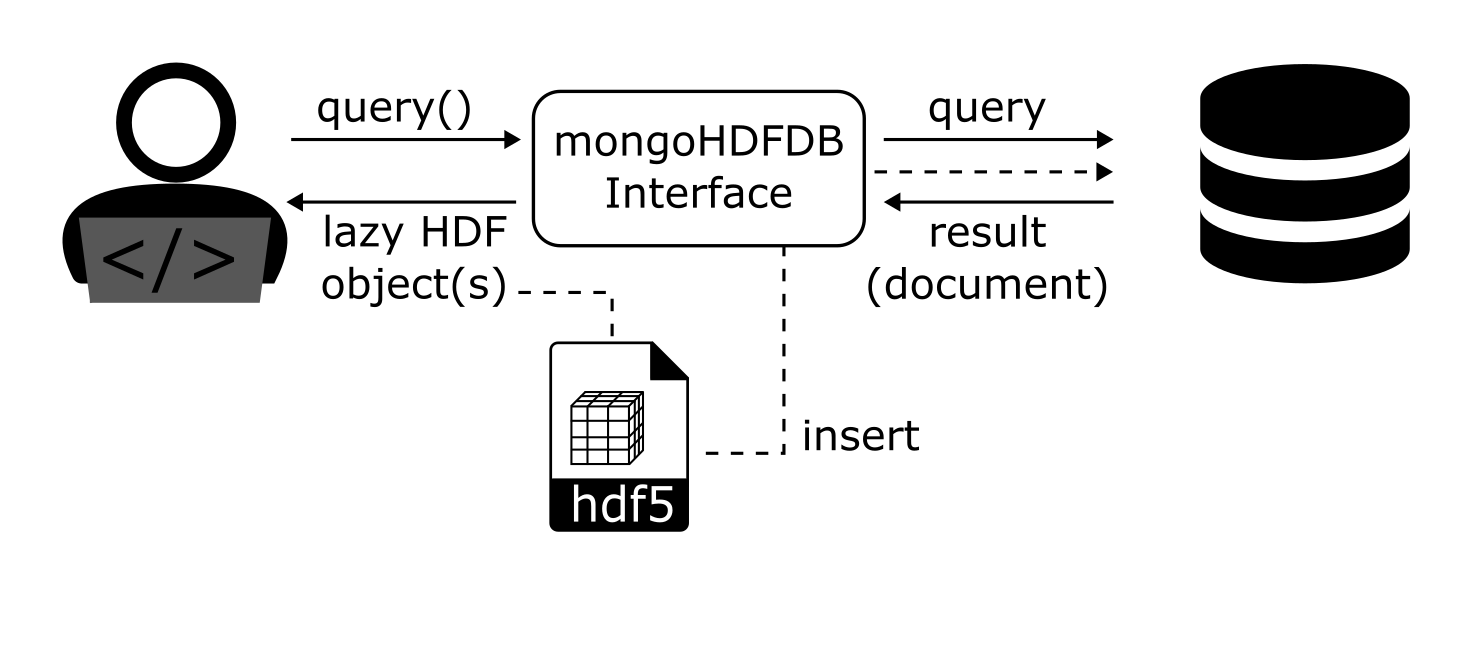
This database interface uses pymongo as the backend database. The user communicates via the interface h5rdmtoolbox.database.MongoDB.
The idea is not to store all data in a mongoDB database. Then we would not have to write an HDF5 file in the first place.
We rather use the database as a metadata storage, which is much more efficient to search through. So the steps are:
insert (metadata) into the database (the interface takes care how this is done)
perform query
the interface collects performs query on mongoDB…
…and the interface returns a lazy HDF object to the user
import pymongo
from pymongo import MongoClient

from h5rdmtoolbox import tutorial
import h5rdmtoolbox as h5tbx

import numpy as np
from pprint import pprint

h5tbx.use(None)
using("h5py")
First things first: Connection to the DB:#
Connect to the mongod client:
client = MongoClient()
client
MongoClient(host=['localhost:27017'], document_class=dict, tz_aware=False, connect=True)
Create a database and a (test) collection named “digits”:
db = client['h5database_notebook_tutorial']
collection = db['digits']

# drop all content in order to start from scratch:
collection.drop()
---------------------------------------------------------------------------
KeyboardInterrupt                         Traceback (most recent call last)
Cell In[3], line 5
      2 collection = db['digits']
      4 # drop all content in order to start from scratch:
----> 5 collection.drop()

File ~/checkouts/readthedocs.org/user_builds/h5rdmtoolbox/envs/v1.3.0/lib/python3.8/site-packages/pymongo/collection.py:1234, in Collection.drop(self, session, comment, encrypted_fields)
   1201 """Alias for :meth:`~pymongo.database.Database.drop_collection`.
   1202
   1203 :param session: a
   (...)
   1225    Added ``session`` parameter.
   1226 """
   1227 dbo = self.__database.client.get_database(
   1228     self.__database.name,
   1229     self.codec_options,
   (...)
   1232     self.read_concern,
   1233 )
-> 1234 dbo.drop_collection(
   1235     self.__name, session=session, comment=comment, encrypted_fields=encrypted_fields
   1236 )

File ~/checkouts/readthedocs.org/user_builds/h5rdmtoolbox/envs/v1.3.0/lib/python3.8/site-packages/pymongo/_csot.py:108, in apply.<locals>.csot_wrapper(self, *args, **kwargs)
    106         with _TimeoutContext(timeout):
    107             return func(self, *args, **kwargs)
--> 108 return func(self, *args, **kwargs)

File ~/checkouts/readthedocs.org/user_builds/h5rdmtoolbox/envs/v1.3.0/lib/python3.8/site-packages/pymongo/database.py:1249, in Database.drop_collection(self, name_or_collection, session, comment, encrypted_fields)
   1242     self._drop_helper(
   1243         _esc_coll_name(encrypted_fields, name), session=session, comment=comment
   1244     )
   1245     self._drop_helper(
   1246         _ecoc_coll_name(encrypted_fields, name), session=session, comment=comment
   1247     )
-> 1249 return self._drop_helper(name, session, comment)

File ~/checkouts/readthedocs.org/user_builds/h5rdmtoolbox/envs/v1.3.0/lib/python3.8/site-packages/pymongo/database.py:1163, in Database._drop_helper(self, name, session, comment)
   1160 if comment is not None:
   1161     command["comment"] = comment
-> 1163 with self.__client._conn_for_writes(session, operation=_Op.DROP) as connection:
   1164     return self._command(
   1165         connection,
   1166         command,
   (...)
   1170         session=session,
   1171     )

File ~/checkouts/readthedocs.org/user_builds/h5rdmtoolbox/envs/v1.3.0/lib/python3.8/site-packages/pymongo/mongo_client.py:1333, in MongoClient._conn_for_writes(self, session, operation)
   1330 def _conn_for_writes(
   1331     self, session: Optional[ClientSession], operation: str
   1332 ) -> ContextManager[Connection]:
-> 1333     server = self._select_server(writable_server_selector, session, operation)
   1334     return self._checkout(server, session)

File ~/checkouts/readthedocs.org/user_builds/h5rdmtoolbox/envs/v1.3.0/lib/python3.8/site-packages/pymongo/mongo_client.py:1316, in MongoClient._select_server(self, server_selector, session, operation, address, deprioritized_servers, operation_id)
   1314             raise AutoReconnect("server %s:%s no longer available" % address)  # noqa: UP031
   1315     else:
-> 1316         server = topology.select_server(
   1317             server_selector,
   1318             operation,
   1319             deprioritized_servers=deprioritized_servers,
   1320             operation_id=operation_id,
   1321         )
   1322     return server
   1323 except PyMongoError as exc:
   1324     # Server selection errors in a transaction are transient.

File ~/checkouts/readthedocs.org/user_builds/h5rdmtoolbox/envs/v1.3.0/lib/python3.8/site-packages/pymongo/topology.py:368, in Topology.select_server(self, selector, operation, server_selection_timeout, address, deprioritized_servers, operation_id)
    358 def select_server(
    359     self,
    360     selector: Callable[[Selection], Selection],
   (...)
    365     operation_id: Optional[int] = None,
    366 ) -> Server:
    367     """Like select_servers, but choose a random server if several match."""
--> 368     server = self._select_server(
    369         selector,
    370         operation,
    371         server_selection_timeout,
    372         address,
    373         deprioritized_servers,
    374         operation_id=operation_id,
    375     )
    376     if _csot.get_timeout():
    377         _csot.set_rtt(server.description.min_round_trip_time)

File ~/checkouts/readthedocs.org/user_builds/h5rdmtoolbox/envs/v1.3.0/lib/python3.8/site-packages/pymongo/topology.py:346, in Topology._select_server(self, selector, operation, server_selection_timeout, address, deprioritized_servers, operation_id)
    337 def _select_server(
    338     self,
    339     selector: Callable[[Selection], Selection],
   (...)
    344     operation_id: Optional[int] = None,
    345 ) -> Server:
--> 346     servers = self.select_servers(
    347         selector, operation, server_selection_timeout, address, operation_id
    348     )
    349     servers = _filter_servers(servers, deprioritized_servers)
    350     if len(servers) == 1:

File ~/checkouts/readthedocs.org/user_builds/h5rdmtoolbox/envs/v1.3.0/lib/python3.8/site-packages/pymongo/topology.py:253, in Topology.select_servers(self, selector, operation, server_selection_timeout, address, operation_id)
    250     server_timeout = server_selection_timeout
    252 with self._lock:
--> 253     server_descriptions = self._select_servers_loop(
    254         selector, server_timeout, operation, operation_id, address
    255     )
    257     return [
    258         cast(Server, self.get_server_by_address(sd.address)) for sd in server_descriptions
    259     ]

File ~/checkouts/readthedocs.org/user_builds/h5rdmtoolbox/envs/v1.3.0/lib/python3.8/site-packages/pymongo/topology.py:327, in Topology._select_servers_loop(self, selector, timeout, operation, operation_id, address)
    321 self._request_check_all()
    323 # Release the lock and wait for the topology description to
    324 # change, or for a timeout. We won't miss any changes that
    325 # came after our most recent apply_selector call, since we've
    326 # held the lock until now.
--> 327 self._condition.wait(common.MIN_HEARTBEAT_INTERVAL)
    328 self._description.check_compatible()
    329 now = time.monotonic()

File ~/.asdf/installs/python/3.8.18/lib/python3.8/threading.py:306, in Condition.wait(self, timeout)
    304 else:
    305     if timeout > 0:
--> 306         gotit = waiter.acquire(True, timeout)
    307     else:
    308         gotit = waiter.acquire(False)

KeyboardInterrupt:
Testdata#
We will take test data from scikit-learn, namely the hand-written digits ((https://scikit-learn.org/stable/auto_examples/classification/plot_digits_classification.html):
from sklearn.datasets import load_digits  # ! pip install scikit-learn
digits = load_digits()
Fill a HDF5 file with the loaded data. We additionally compute the mean count and two gray occurance properties (dissimilarity and correlation). Those three datasets together with the true digit of the image are linked to the image via HDF dimension scales:
from skimage.feature import graycomatrix, graycoprops

filename = h5tbx.utils.generate_temporary_filename(suffix='.hdf')

with h5tbx.File(filename, 'w') as h5:
    ds_trg = h5.create_dataset('digit',
                               data=digits.target,
                               make_scale=True)
    ds_img = h5.create_dataset('images',
                               shape=(len(digits.images), 8, 8))

    ds_mean = h5.create_dataset('mean',
                                shape=(len(digits.images), ),
                                make_scale=True)
    ds_diss = h5.create_dataset('dissimilarity',
                                shape=(len(digits.images), ),
                                make_scale=True)
    ds_corr = h5.create_dataset('correlation',
                                shape=(len(digits.images), ),
                                make_scale=True)


    for i, img in enumerate(digits.images):
        ds_img[i, :, :] = img
        ds_mean[i] = np.mean(img)

        glcm = graycomatrix(img.astype(int), distances=[5], angles=[0], levels=256,
                            symmetric=True, normed=True)
        ds_diss[i] = graycoprops(glcm, 'dissimilarity')[0, 0]
        ds_corr[i] = graycoprops(glcm, 'correlation')[0, 0]

    ds_img.dims[0].attach_scale(ds_trg)
    ds_img.dims[0].attach_scale(ds_mean)
    ds_img.dims[0].attach_scale(ds_diss)
    ds_img.dims[0].attach_scale(ds_corr)
    h5.dump()
-
-
(1797) [float32]
-
(1797) [int32]
-
(1797) [float32]
-
(digit: 1797, 8, 8) [float32]
-
(1797) [float32]
Insert (metadata) into the database#
To insert data from the HDF5 file into the DB, we need the init the mongoDB interface class.
from h5rdmtoolbox.database import mongo
mdb = mongo.MongoDB(collection=collection)
mdb.collection.drop()  # clean the collection just to be certain that it is really empty
Next, we have two options:
Insert a full dataset
Insert slices of a dataset according to the dimension scales
We perform both options and understand their meaning in the following:
First option
Let’s insert the dataset “image” into dat database:
with h5tbx.File(filename) as h5:
    mdb.insert_dataset(h5['images'], axis=None)
This will result in one document:
collection.count_documents({}) # or mdb.collection.count_documents({})
1
Let’s find it (quite trivial…):
res = mdb.find_one({})
Let’s slice the (lazy) dataset and ask for its shape:
res[()].shape
(1797, 8, 8)
We asked for the shape, to compare it to the second option on how to insert multi-dimensional arrays into the mongoDB:
Second option
Now, we will set axis to 0. This will “cut” the image dataset into $N=1797$ subarrays and insert them individually. Let’s do it and find out what the advantage is afterwards:
mdb.collection.drop() # clean the collection
with h5tbx.File(filename) as h5:
    mdb.insert_dataset(h5['images'], axis=0, update=False)
Count the number of collections inserted. It is equal to the number of images (1797).
collection.count_documents({}) # or mdb.collection.count_documents({})
1797
The image dataset has dimension scales (you may like to inspect the content of the HDF file again in the dump() call at the beginning). By searching e.g. for digit=3, we find the correct slice for an image corresonding to this condition:
one_res = mdb.find_one({'digit': {'$eq': 3}})
one_res[()].shape
(1, 8, 8)
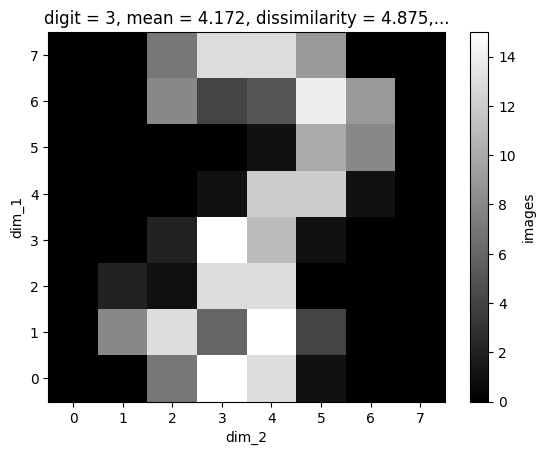
In the version above, we need to work with the xarray object and somehow determine which slice corresponds to digit equal to 3. However, the mongoDB approach does it, too:
one_res[()].plot(cmap='gray')
<matplotlib.collections.QuadMesh at 0x1832ed5d5b0>
import matplotlib.pyplot as plt

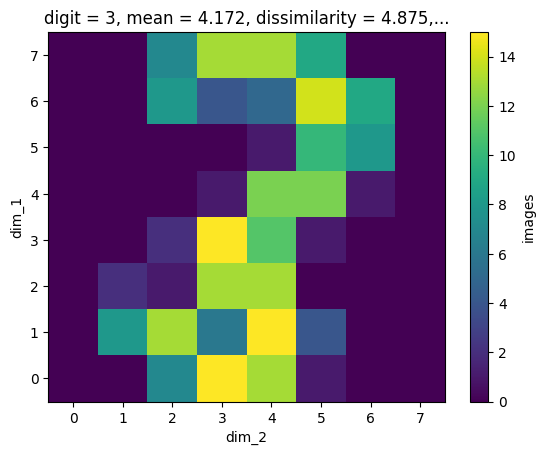
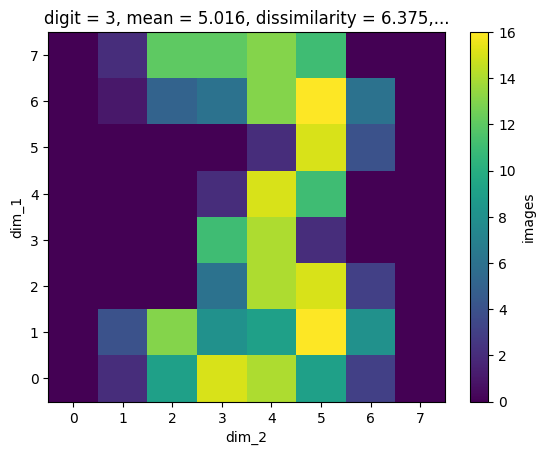
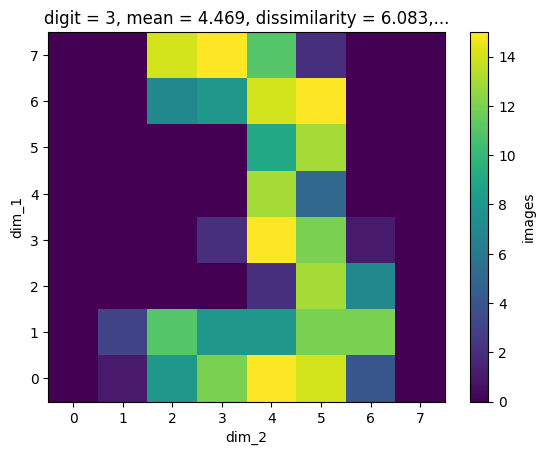
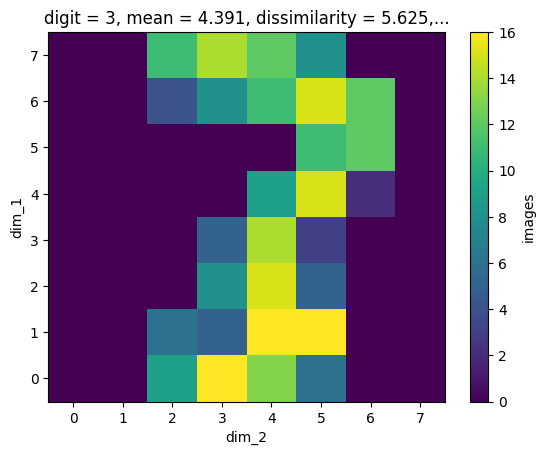
res = mdb.find({'digit': {'$eq': 3}})

# plot the first 5 results:
for i in range(5):
    next(res)[()].plot()
    plt.show()