Visualization#
As the return value of a sliced dataset is a xarray.DataArray instead of a numpy.ndarray plotting features of xarray is used. For more information about xarray see https://docs.xarray.dev/en/stable/
import h5rdmtoolbox as h5tbx
h5tbx.use(None)

import matplotlib.pyplot as plt
import numpy as np
Failed to import module h5tbx
with h5tbx.File() as h5:
    dsx = h5.create_dataset('x', data=np.linspace(0, 10, 20), attrs=dict(units='mm', long_name='x'), make_scale=True)
    dsy = h5.create_dataset('y', data=np.linspace(0, 5, 10), attrs=dict(units='mm', long_name='y'), make_scale=True)
    dsz = h5.create_dataset('z', data=np.linspace(0, 3, 4), attrs=dict(units='mm', long_name='z'), make_scale=True)
    h5.create_dataset('data', data=np.random.random((10, 20)), attrs=dict(units='m/s', long_name='velocity'), attach_scales=(dsy, dsx))

    xx, yy, zz = np.meshgrid(dsy.values[:], dsz.values[:], dsx.values[:])

    h5.create_dataset('u', data=np.sin(xx), attrs=dict(units='m/s', long_name='x_velocity'), attach_scales=(dsz, dsy, dsx))
    h5.create_dataset('v', data=yy, attrs=dict(units='m/s', long_name='y_velocity'), attach_scales=(dsz, dsy, dsx))
    h5.create_dataset('w', data=np.ones((4, 10, 20)), attrs=dict(units='m/s', long_name='z_velocity'), attach_scales=(dsz, dsy, dsx))
    h5.dump()
-
-
(y: 10, x: 20) [float64]
- long_name : velocity
- units : m/s
-
(z: 4, y: 10, x: 20) [float64]
- long_name : x_velocity
- units : m/s
-
(z: 4, y: 10, x: 20) [float64]
- long_name : y_velocity
- units : m/s
-
(z: 4, y: 10, x: 20) [float64]
- long_name : z_velocity
- units : m/s
-
(20) [float64]
- long_name : x
- units : mm
-
(10) [float64]
- long_name : y
- units : mm
-
(4) [float64]
- long_name : z
- units : mm
-
- __h5rdmtoolbox_version__
 https://schema.org/softwareVersion : 1.2.3a2
 - codeRepository https://schema.org/codeRepository : https://github.com/matthiasprobst/h5RDMtoolbox
- __h5rdmtoolbox_version__
Xarray plots#
xarray comes with a lot of useful plotting features:
Line plots#
with h5tbx.File(h5.hdf_filename) as h5:
    h5.dump()
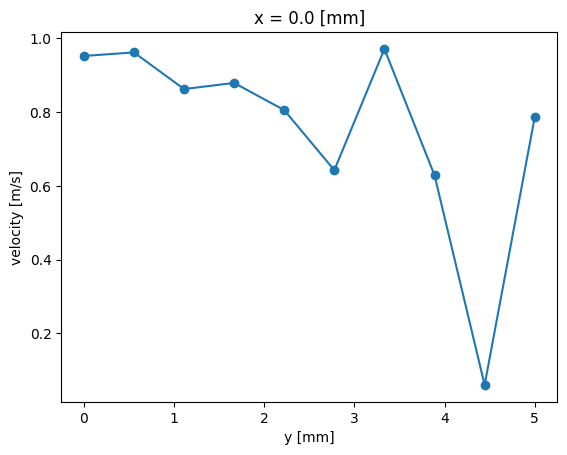
    d = h5['data'][:, 0]
    d.plot.line(marker='o')
-
-
(y: 10, x: 20) [float64]
- long_name : velocity
- units : m/s
-
(z: 4, y: 10, x: 20) [float64]
- long_name : x_velocity
- units : m/s
-
(z: 4, y: 10, x: 20) [float64]
- long_name : y_velocity
- units : m/s
-
(z: 4, y: 10, x: 20) [float64]
- long_name : z_velocity
- units : m/s
-
(20) [float64]
- long_name : x
- units : mm
-
(10) [float64]
- long_name : y
- units : mm
-
(4) [float64]
- long_name : z
- units : mm
-
- __h5rdmtoolbox_version__ https://schema.org/softwareVersion : 1.2.3a2
- codeRepository https://schema.org/codeRepository : https://github.com/matthiasprobst/h5RDMtoolbox
- __h5rdmtoolbox_version__
2D plots#
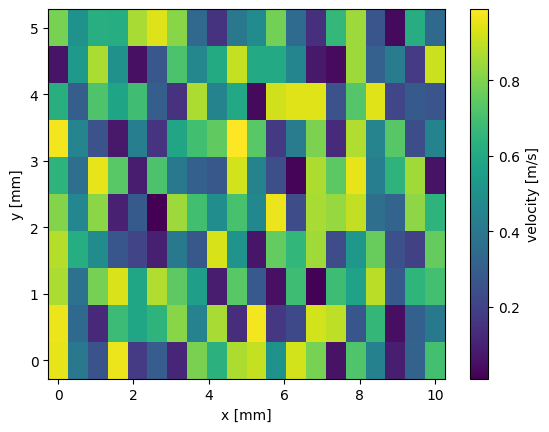
with h5tbx.File(h5.hdf_filename) as h5:
    # some plotting
    plt.figure()
    h5['data'][:].plot()
    plt.show()

    plt.figure()
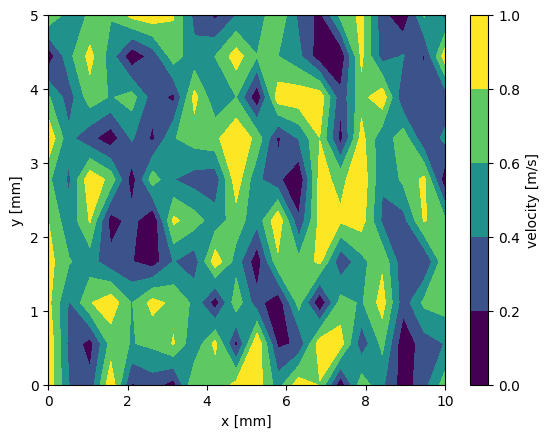
    h5['data'][:].plot.contourf()
    plt.figure()
    plt.show()
<Figure size 640x480 with 0 Axes>
Histograms#
with h5tbx.File(h5.hdf_filename) as h5:
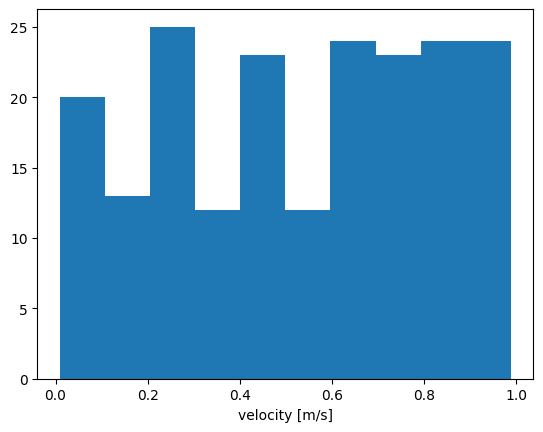
    h5['data'][:].plot.hist()
    plt.show()
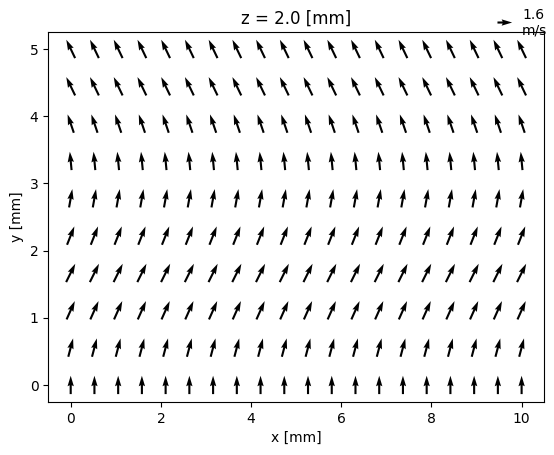
Vector plotting with h5rdmtoolbox and xarray#
The toolbox provides a Vector accessory (see also section Extensions)), which constructs a xarray dataset:
from h5rdmtoolbox.extensions import vector
with h5tbx.File(h5.hdf_filename) as h5:
    ds = h5.Vector(u=h5.u, v=h5.v)
    ds[2, :, :].plot.quiver(x='x', y='y', u='u', v='v')